How AI calorie counters work, and where photo estimates miss
A photo gives a calorie estimate, not a measurement. What AI calorie counters get right, why oil and sauces trip them up, and how to log a better number.
On this page
- How does an AI calorie counter work?
- What does an AI calorie counter get right?
- Oil and sauces are the usual blind spot
- A good tracker asks when it can’t tell
- Is a photo estimate accurate enough to track with?
- How to get a better estimate from a photo
- Photo, voice or text: which suits you?
- What about a general chatbot?
- Tracking is a poor fit for some people
- Where does Getfiit fit?
- Frequently asked questions
- Your next step
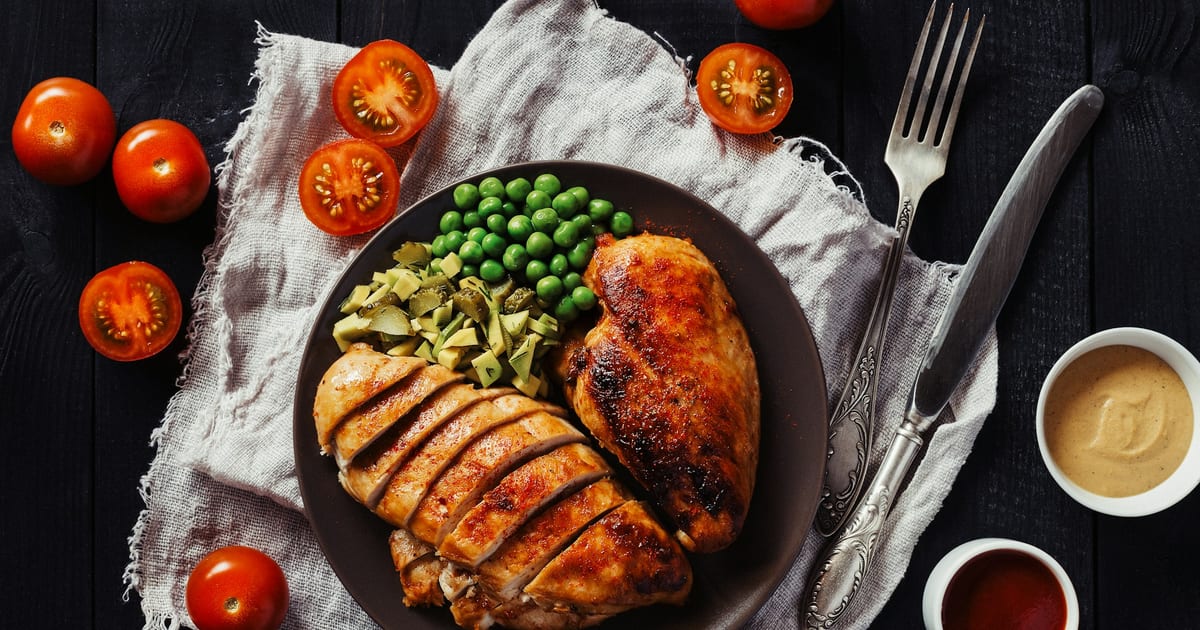
An AI calorie counter (also called a photo tracker) looks at a picture of your meal and returns an estimate of calories, protein, carbs and fat. It is an estimate, and it misses most on what a camera can’t see: oil, butter, sauces and dressings.
For many everyday meals, it is close enough to use. In a 2026 Nutrients study of hospital meals, the top AI models were often within 10 percent on calories and carbs. They were less accurate on protein and fat.
The misses are a reason to know the limits, not to skip photo tracking. In our view, a tracker you still use in month three shows you more than a precise one you dropped in week two.
Key takeaways
- A photo tracker recognizes the food, guesses the portion and looks up the nutrition. Each step adds a little error.
- It does best on calories and carbs in simple, visible meals. It does worst on hidden fat, protein and mixed dishes.
- A good tracker says it is estimating and asks about the unknowns instead of guessing in silence.
- In our view, consistency matters more than precision. A daily estimate you log beats a perfect log you abandon.
- Treat the first number as a draft, and correct it when you know better.
How does an AI calorie counter work?
Broadly, a photo tracker does three jobs.
- Recognize the food. A computer vision model looks at the picture and names what it sees: grilled chicken, rice, broccoli. Mixed dishes like a curry or a burrito bowl are harder, because the ingredients overlap.
- Estimate the portion. This is the hard part. A photo is flat, so the model has to infer volume from cues like plate size, a fork or the camera angle.
- Look up the nutrition. The food and the guessed portion are matched against a food database, and calories and macros come back.
Each step can be a little off. The errors can stack or cancel out. So a photo gives a number to plan with, not a lab measurement.
Researchers describe the field the same way. A scoping review in the Journal of Medical Internet Research (Advancements in Using AI for Dietary Assessment Based on Food Images, November 2024) covered 84 studies from 2008 to 2021. Early systems ran these steps one after another: food identification, portion estimation, then nutrient calculation.
Most systems in the review were validated for calories and macros, and only a few for micronutrients such as sodium. Its studies end in 2021, so it describes how the field is built, not how today’s tools score.
Newer models can handle the steps together, in one pass. The same three uncertainties still apply.
If you have ever typed “chicken breast” into a database app, you did all three jobs by hand. You named the food, picked the entry and chose the serving. A photo tracker does all three from one picture. That is the appeal.
What does an AI calorie counter get right?
It works best when the meal is simple and everything is visible.
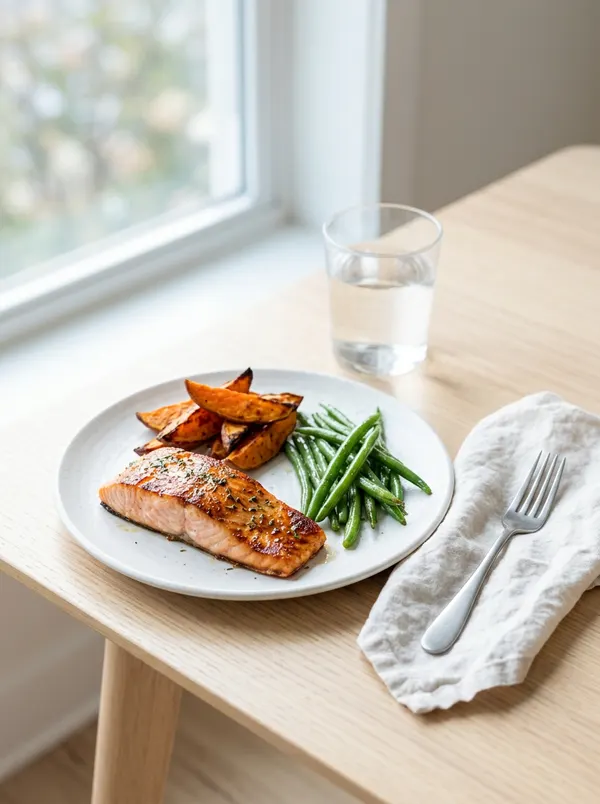
- Distinct foods on a plate. Salmon, a scoop of rice and green beans are easy to tell apart and size.
- Simple, whole foods. A banana, two boiled eggs, a bowl of plain oatmeal.
- Ordinary portions. Standard servings are easier to size than a heaping pile.
For these meals the estimate is usually good enough to act on. A study in Nutrients, published in March 2026 (Accuracy of AI-Based Nutrient Estimation from Standardized Hospital Meal Images), gives a sense of the range. Researchers photographed 15 standardized hospital meals under controlled conditions and weighed the food to get the true values.
They compared 10 registered dietitians with 10 AI tools: three general-purpose models (ChatGPT-4o, Gemini 1.5 Pro and Claude 3.5 Sonnet) and seven specialized dietary assessment apps. Each tool got the photo alone, with no description.
The tools varied a lot. Three stood out on calories: ChatGPT-4o, Gemini 1.5 Pro and one of the dietary apps, Foodita. On meals of about 600 calories, each was off by less than 50 calories on average and landed within 10 percent on more than half of them. Like the dietitians, they did well on carbs too.
It is 15 meals, so it shows a pattern, not a guarantee. Read it as a picture of the technology, not a score for the tracker you use. For one app that publishes its own accuracy figure, see is Cal AI accurate?.
Oil and sauces are the usual blind spot
Fat is hard for a camera for a plain reason: oil is nearly invisible and dense in calories. A teaspoon of olive oil on roasted vegetables barely changes how the dish looks. It still adds about 40 calories.
The same goes for:
- butter melted into rice or mashed potatoes
- dressing mixed through a salad
- cream in a soup or a sauce
- oil absorbed by fried food
You can see the chicken. You can’t see the oil it was cooked in. As of October 2026, USDA FoodData Central lists olive oil at 884 calories per 100 grams (Oil, olive, salad or cooking, FDC ID 171413). With its portion weights, that is:
| Amount of olive oil | Weight | Calories |
|---|---|---|
| 1 teaspoon | 4.5 g | about 40 kcal |
| 1 tablespoon | 13.5 g | about 119 kcal |
A tablespoon is close to 120 calories that barely shows in the photo, so a spoonful is worth a word. For any other oil or sauce, FoodData Central is the reference to look up.
The 2026 Nutrients study found the same weak spot. Across the AI tools, protein and fat estimates were significantly less accurate than calories and carbs. The three top tools all overestimated fat, by about 24 to 30 percent on average. The authors called fat an “invisible nutrient” and recommended keeping a person in the loop and adding cooking details.
Note the direction: in that study the models guessed high, while a sauce you forget to mention makes a log run low. Either way, fat is where a camera is least sure. Holiday plates hide plenty of it, mostly as butter: see what a typical Thanksgiving plate adds up to.
So a better question than “does it get the plate right?” is “what does it do when it can’t tell?”
A good tracker asks when it can’t tell
When a photo leaves something open, a tracker has three choices. It can guess in silence, show a wide range, or ask.
In our view, silent guessing is the weakest, because the number looks confident and isn’t. A range is better. Asking is the most useful, because one short question turns a blind spot into a better estimate. It is also what the study’s authors recommend: a person in the loop, and the cooking details a photo can’t show.
Here is how that can look in Getfiit. It is an illustration of the kind of exchange, not a measured result:

Is a photo estimate accurate enough to track with?
For most people, yes, if you keep logging. In the 2026 Nutrients study, the top models were often within 10 percent on calories and carbs. Protein and fat were less accurate, so treat those numbers as rougher.
In our view, logging every day matters more than the last few calories. Tracking is useful because it shows patterns over days and weeks: how your protein looks on a busy Tuesday, or what a restaurant weekend does to your average.
A steady error still shows the trend. Forgotten oil and sauces skew it, which is why they are worth a word. No logging method, from a food scale to a written diary, gives a perfect number.
What doesn’t hold up is a log that stops. Our view: people tend to quit tracking because of effort, not because they stop caring. If every meal takes a minute of typing, the habit is hard to keep.
So the practical question is not which tracker is most exact on paper. It is which one you will still use in three months.
How to get a better estimate from a photo
A few habits can narrow the gap.
- Take the photo before you eat. Shoot from slightly above, with the whole plate in view.
- Say what the camera can’t see. If you cooked with oil or butter, add it in a word.
- Describe mixed dishes the way you would to a friend. “Homemade chili, one big bowl, cheese on top” gives a tracker more to work with than a photo alone.
- Correct the entry when you know better. One quick fix is cheaper than a week of drift.
- Skip the hunt for a perfect number. A consistent estimate does more for you.
A mixed dish described in words, as an illustration:
If you want to go further, weigh a meal now and then to train your eye. That is optional. Tracking works without it. For portion shortcuts that skip the scale, see how to track macros without weighing everything.
Photo, voice or text: which suits you?
A photo is one way to log without a database search. Each way has a place.
| Way to log | Works well when | Weak spot |
|---|---|---|
| Photo | The meal is on a plate and visible | Hidden oil, butter and sauces |
| Voice note | Your hands are busy, or you cooked it yourself | You have to remember what went in |
| Text | You want to be specific (“two eggs, toast, butter”) | A little more typing |
Getfiit takes all three in the same WhatsApp chat. A photo of lunch, a voice note while you cook, a quick text for a snack.
What about a general chatbot?
People also ask a general chatbot to count calories from a photo. On calories, that can work: two of the three top performers in the 2026 study were general-purpose models, ChatGPT-4o and Gemini 1.5 Pro.
A tracker’s job is the rest: keeping a running daily total and checking it against your targets. If you are comparing photo trackers, check how each one handles oil and sauces.
Tracking is a poor fit for some people
Tracking is a tool, and it can be a poor fit. If counting food tends to bring on stress, anxiety or restriction, or you have a history of disordered eating, it may do more harm than good. Talk with a doctor or a registered dietitian before you track. If tracking starts to make food a source of worry, that’s a reason to pause it.
Where does Getfiit fit?
Getfiit is an AI nutrition and fitness coach that lives in WhatsApp. You send a photo, a voice note or a sentence. It sends back calories and macros, and checks in. There is nothing to install.
As of October 23, 2026, it costs $19.99 a month after a 3-day free trial, and you can cancel anytime. The how it works section on the home page walks through it.
It is one option among several.
Frequently asked questions
Are AI calorie counters accurate?
It depends on the meal and the nutrient. In a 2026 Nutrients study of 15 hospital meals, the top AI models were often within 10 percent on calories and carbs, but less accurate on protein and fat. Treat any app’s number as an estimate, and add what the camera can’t see, like oil.
Can an AI really tell portion size from a photo?
It can infer it from cues like plate size and the angle of the shot. That is the weakest step, so a short correction from you helps.
Do I need to weigh my food too?
Not for tracking to be useful. Weighing now and then can train your eye, but it is optional.
What if I forget to log for a few days?
Nothing breaks. Log the next meal and carry on. More answers like this are in the FAQ on the home page.
What is the difference between a photo tracker and a database app?
A database app asks you to search and pick a serving. A photo tracker does that step from a picture and gives you an estimate to confirm or fix. For well-known database apps side by side, see Cronometer vs MyFitnessPal and Lose It vs MyFitnessPal.
Your next step
Log your next meal with a photo, and add one word about the oil or sauce. Look at the number as a draft. If it looks off, fix it and move on.
This article is general information, not medical advice. Talk to a doctor or a registered dietitian before changing how you eat, especially if you have a health condition, are pregnant, or have a history of disordered eating.
Log your next meal in five seconds.
Getfiit is an AI nutrition coach that lives in WhatsApp. Send a photo, a voice note, or a text, and it replies with calories, macros, and what to do next.
Start on WhatsApp